BRAIN PARK
Q&A
BRING THE PARK BACK TO LIFE

Brain Park — six puzzles in one park

Six puzzle games in one park — Mini Train, Ferris Wheel, Mirror Maze, Fountain Plaza, Photo Studio and Wire Connect. Clear boards to earn gold and gems, then decorate your park.

6 puzzle gamesDecorate the park 10 languagesNo sign-up
🎡

Six puzzles

Number paths, sudoku, sliding mazes, color sorting, memory matching and wire linking — each game climbs its own levels.

🌳

Decorate the park

Spend the gold and gems you earn on decorations and rides.

🌍

10 languages

EN, KO, DE, FR, ES, PT, JA, RU, IT, PL.

🔒

Private by design

No account. Your progress stays on your device.

Download now

GET IT ONGoogle PlayComing soonApp Store
6 puzzle gamesFree to play10 languagesNo account
  • Six puzzle games in one park, each with its own levels
  • Gem help tickets when you get stuck — the displayed price reflects the help available
  • Decorate your park with the gold and gems you earn
  • Rewarded ads only — they play only when you choose
01

Getting Started

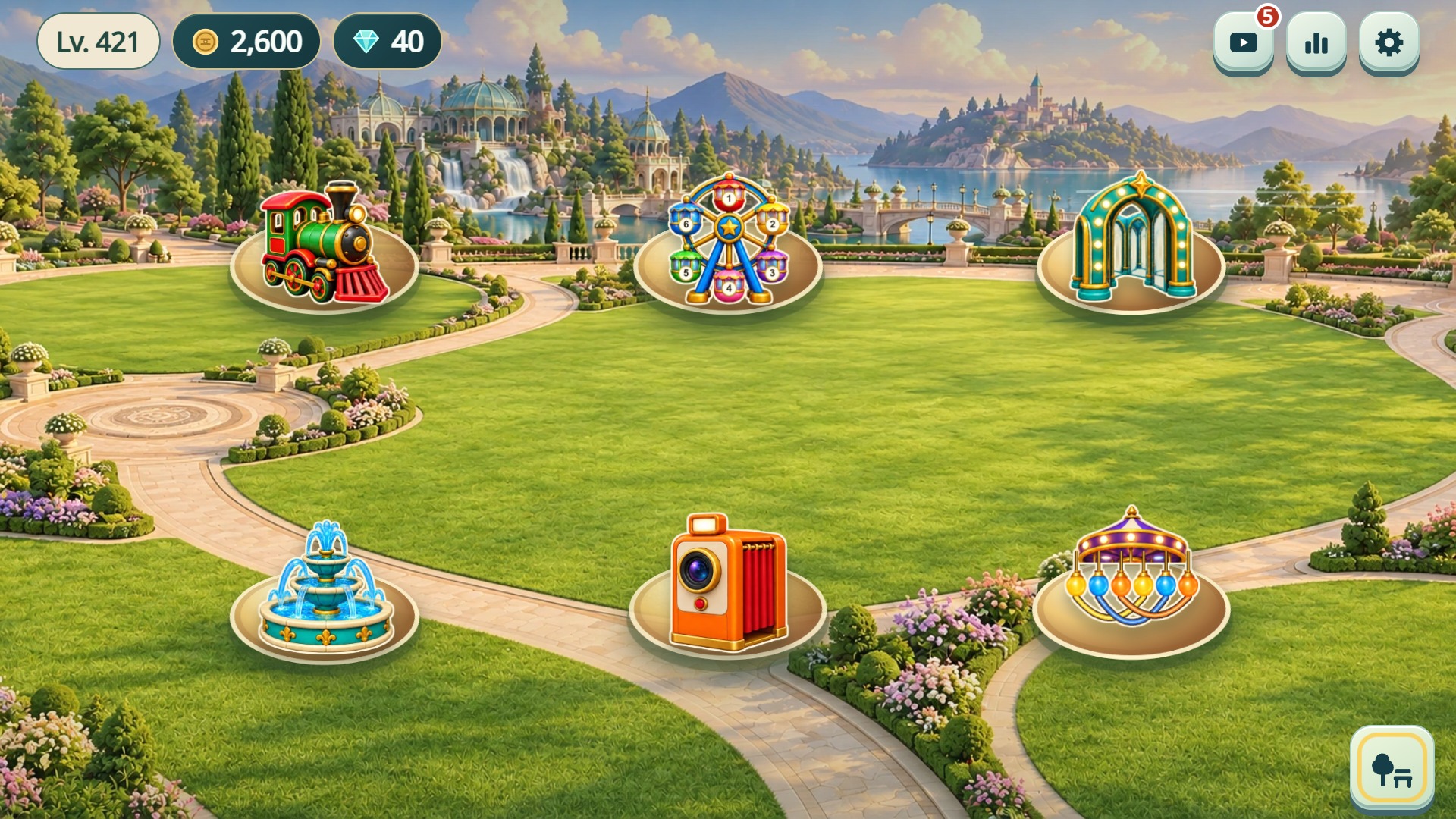
The home screen is the park itself. Tap a ride to play its puzzle.

Home

Each of the six rides opens one puzzle game. The top bar shows your level, gold and gems. A check mark appears on a ride once you have cleared it today.

Buttons. Top right: watch an ad for gems, My Records, Settings. Bottom right: decorate the park.
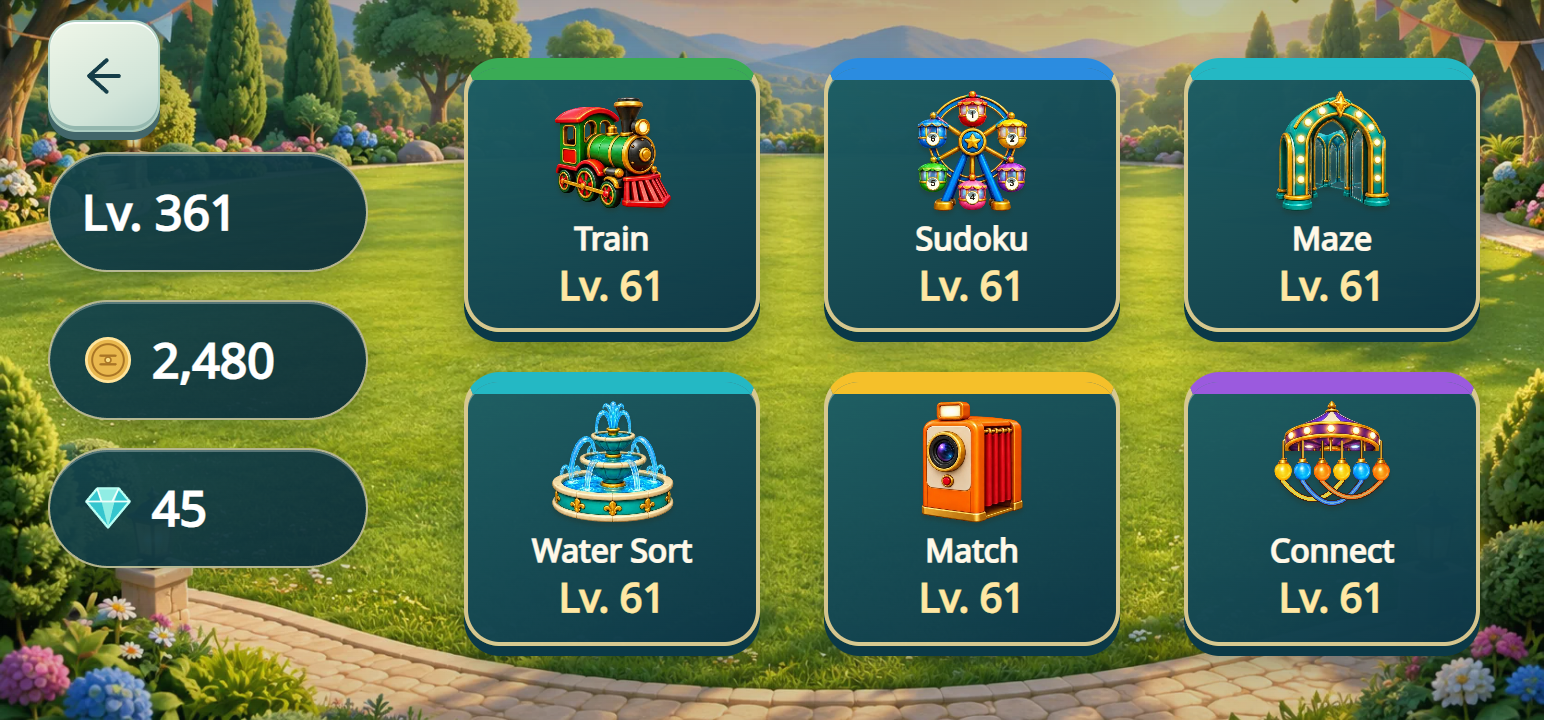
My Records

See the level of each of the six games. Your overall level starts at 1 and increases with your total cleared boards — every board you clear raises both that game's level and your level by one.

02

Six Puzzle Games

Choose a game to see its controls, every board element, restrictions and gem helpers. The small animated examples start paused; press Play or move through them one step at a time.

Before you play

Each game has its own level. Clearing a board raises that game and your overall level by one. There is no automatic level jump or menu for choosing a past level. The first board teaches the controls; a new-rule card explains a device when it first appears.

Game Lv.5, 15, 25 and later levels ending in 5 are harder boards; levels ending in 0 are very hard. You can keep trying without buying extra moves. Displayed helper prices adapt when less help remains. Help that cannot provide a move does not charge you. Undoing a completed paid action does not refund that help.

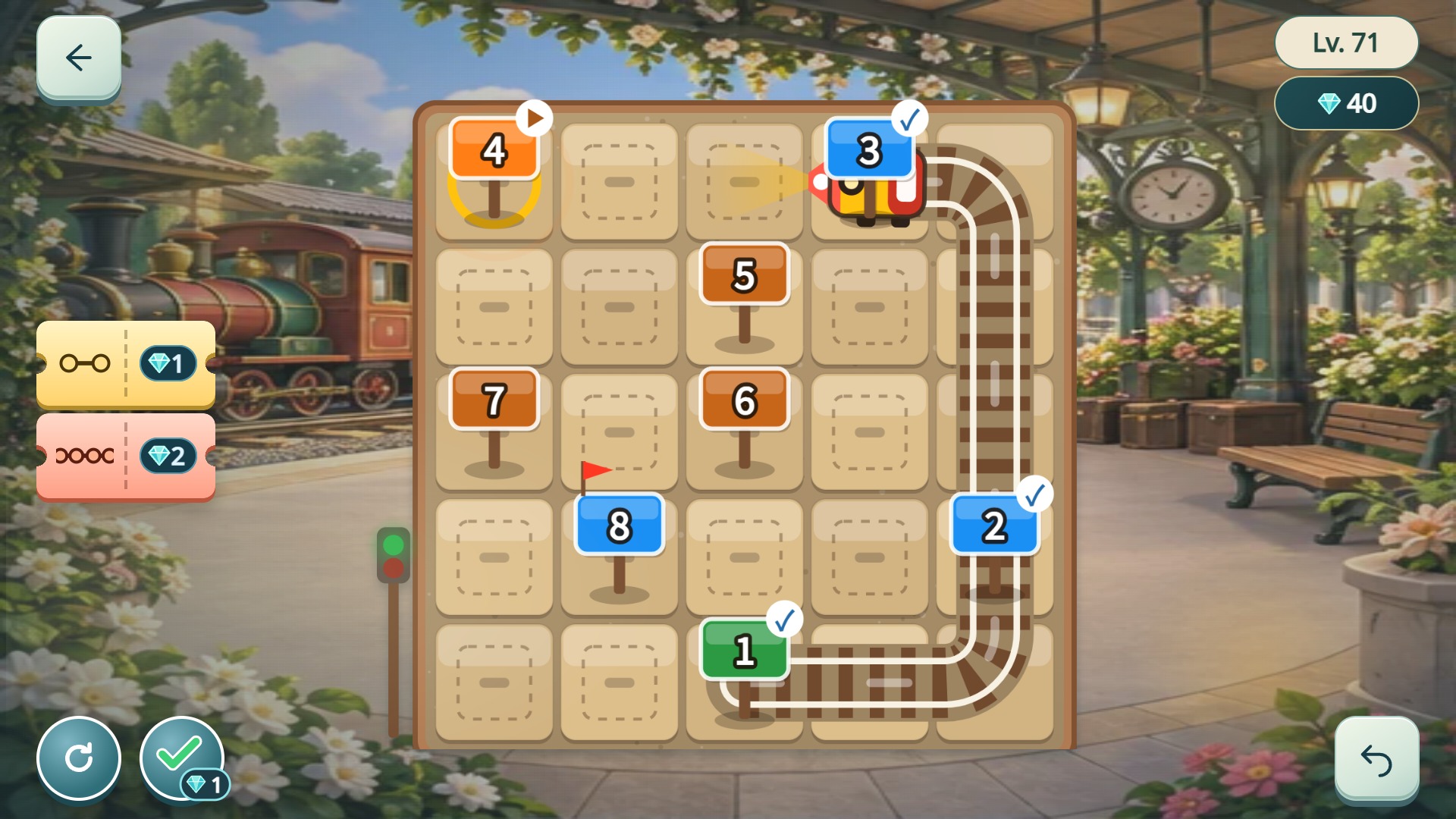
1. Mini Train

Draw one continuous route from station 1 through every numbered station in order. Visit every cell exactly once.

Mini Train gameplay
Actual game screen. Board size and available helpers change with the level.

Actual gameplay · step by step

How to play

  1. Press station 1 and drag to a neighboring cell. Move up, down, left or right; diagonal moves do not count.
  2. Visit 2, then 3, and so on. Unnumbered cells are part of the route too.
  3. Finish at the last station only after covering every cell. Lift your finger to pause drawing, then continue from the end of your route.
Board elements
No.ElementMeaning
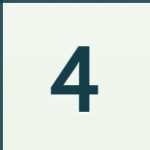
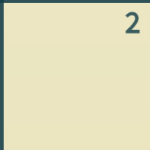
1Numbered stationStart at station 1. Next, visit station 2, then station 3, then station 4, and so on. Do not skip a number.
2Empty cellMust be visited once. Leaving an empty pocket can make the remaining route impossible.
3Rail and trainThe rail is your chosen route. The train follows it; its position is not another cell you must fill.
4Highlighted wrong routeUse Check (1 gem), or undo or shorten the route for free. A blocked help request does not spend gems; it points to the separate Check button.
Rules and restrictions
  1. Never cross your route or visit a cell twice. Passing the numbers in order alone is not enough: every cell is required.
  2. You can undo or restart for free. A restart returns the train along its existing track and clears the route.
  3. Check reports whether your current route can still be completed. A definite result costs 1 gem. An undecided result costs nothing; repeating the check on the unchanged board during the same visit is free.
Gem helpers
  1. Next station1 gem

    Connect to the next station.

    After the first guided board.

  2. Up to three stationsUp to 2 gems

    Connect to up to three more stations. 1 station = 1 gem. 2–3 stations = 2 gems.

    Game Lv.11+ and at least five numbered stations on the board.

  3. Up to ten stationsUp to 3 gems

    Connect to up to ten more stations. 1 station = 1 gem. 2–3 stations = 2 gems. 4–10 stations = 3 gems.

    At least eleven numbered stations on the board.

Thinking ahead
No.IdeaHow to use it
1Plan the last stationDo not reach it while unvisited cells are left behind.
2Avoid isolated pocketsA short-looking route can seal off a cell. Plan the empty space as carefully as the numbers.
Back to the game list

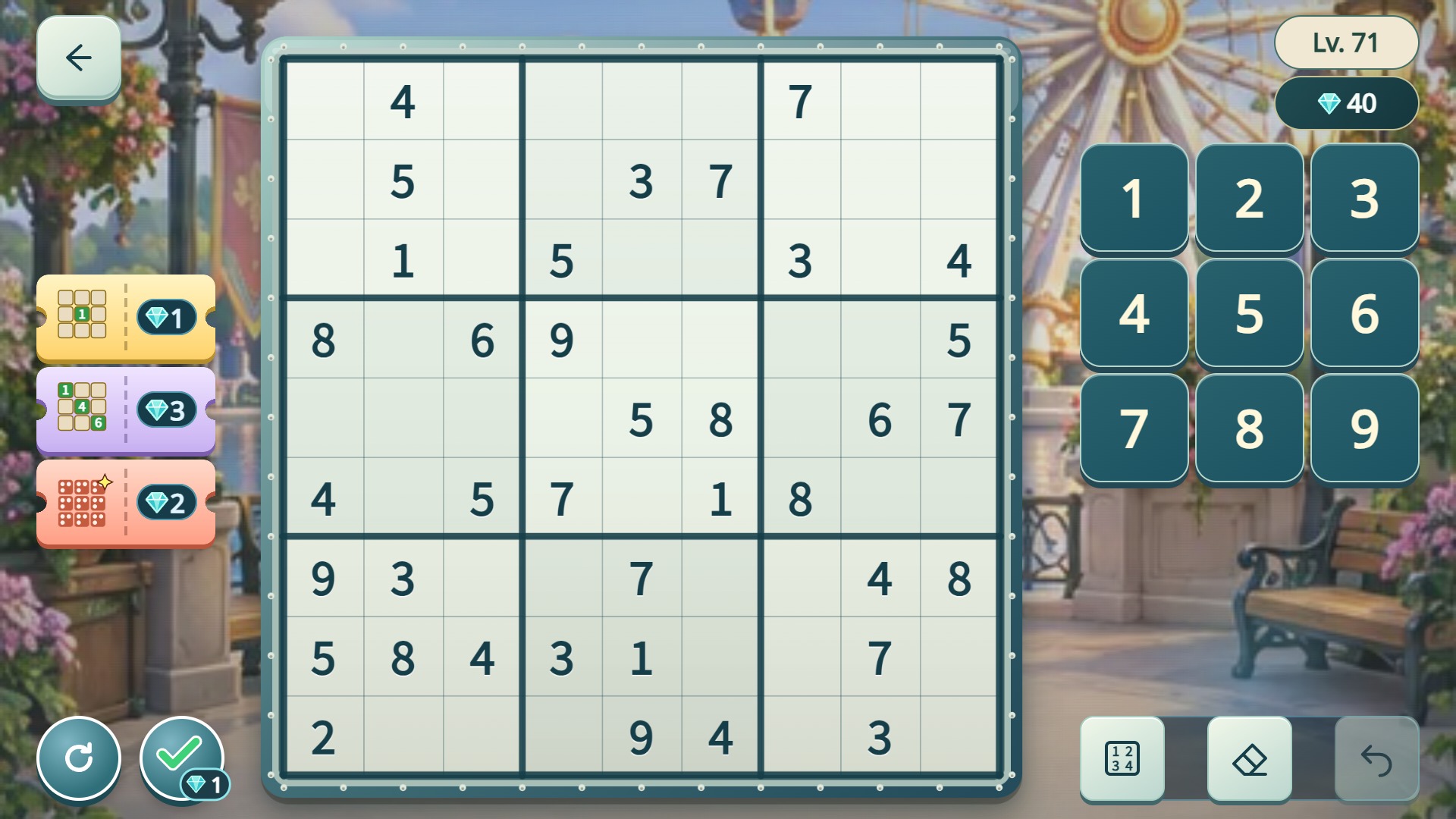
2. Ferris Wheel

A sudoku puzzle: fill the empty cells so every row, column and outlined box contains each allowed number once.

Ferris Wheel gameplay
Actual game screen. Board size and available helpers change with the level.

Actual gameplay · step by step

How to play

Fixed clueFixed clue
Your answerYour answer
Candidate notesCandidate notes
  1. Choose an editable cell, then tap a number. Starting clues are fixed and cannot be changed.
  2. Use 1–4 on a 4×4 board, 1–6 on a 6×6 board, or 1–9 on a 9×9 board.
  3. Use the small-number note mode for candidates. Notes do not count as answers. Fill every answer cell correctly to finish.
Board elements
No.ElementMeaning
1Fixed clueA starting number. Read it as a constraint; it cannot be erased.
2Large numberYour answer in a cell. The selected number tool enters or changes answers.
3Notes / note modeThe note button switches to small candidate numbers. These are possibilities, not answers. Switch back to enter an answer.
4Outlined box4×4 uses 2×2 boxes; 6×6 uses 3×2 boxes; 9×9 uses 3×3 boxes.
5Marked diagonalsOnly on a diagonal-rule board: each of the two long diagonals also has no repeated numbers.
6Four shaded boxesOnly on a hyper-rule board: each extra shaded 3×3 box also has no repeated numbers.
7Number check (1 gem)Checks placed answers and marks incorrect cells. A definite result costs 1 gem; it does not fill answers. Repeat checks on the unchanged board during the same visit cost no extra gems.
Rules and restrictions
  1. A valid row alone is insufficient: the column, box and any displayed extra rules must agree too.
  2. Repeated notes are allowed. Repeated answer numbers within a required row, column or box are not.
  3. Undo, erase and restart do not cost gems. During an automatic fill, wait until it finishes before using another fill.
Gem helpers
  1. One correct answer1 gem

    Fill one correct answer, correcting a wrong answer first when applicable.

    After the first guided board.

  2. Up to three answersUp to 3 gems

    Correct or fill up to three cells. Pay one gem per cell actually provided.

    Game Lv.11+.

  3. Candidate notes2 gems

    Fill candidate notes in empty cells. These are notes, not completed answers. Correct wrong answers first.

    Game Lv.11+.

Thinking ahead
No.IdeaHow to use it
1Single candidateIf a cell has only one possible number, place it.
2Hidden singleIf a number fits only one cell in a row, column or box, that is its place.
3Box–line interactionIf a box can place a number only in one row or column, remove that candidate elsewhere in that line. The reverse also applies.
4Pairs and triplesTwo cells limited to the same two candidates, or three cells limited to three candidates, reserve those numbers. Hidden subsets reserve their cells instead.
5X-wing and XY-wingLook for linked candidates across rows and columns, or three two-candidate cells. Eliminate only candidates that every valid branch excludes.
6Candidate chainsHarder boards can require tracing linked candidates and rejecting a contradiction. Diagonals and hyper boxes apply only when marked.
Back to the game list

3. Mirror Maze

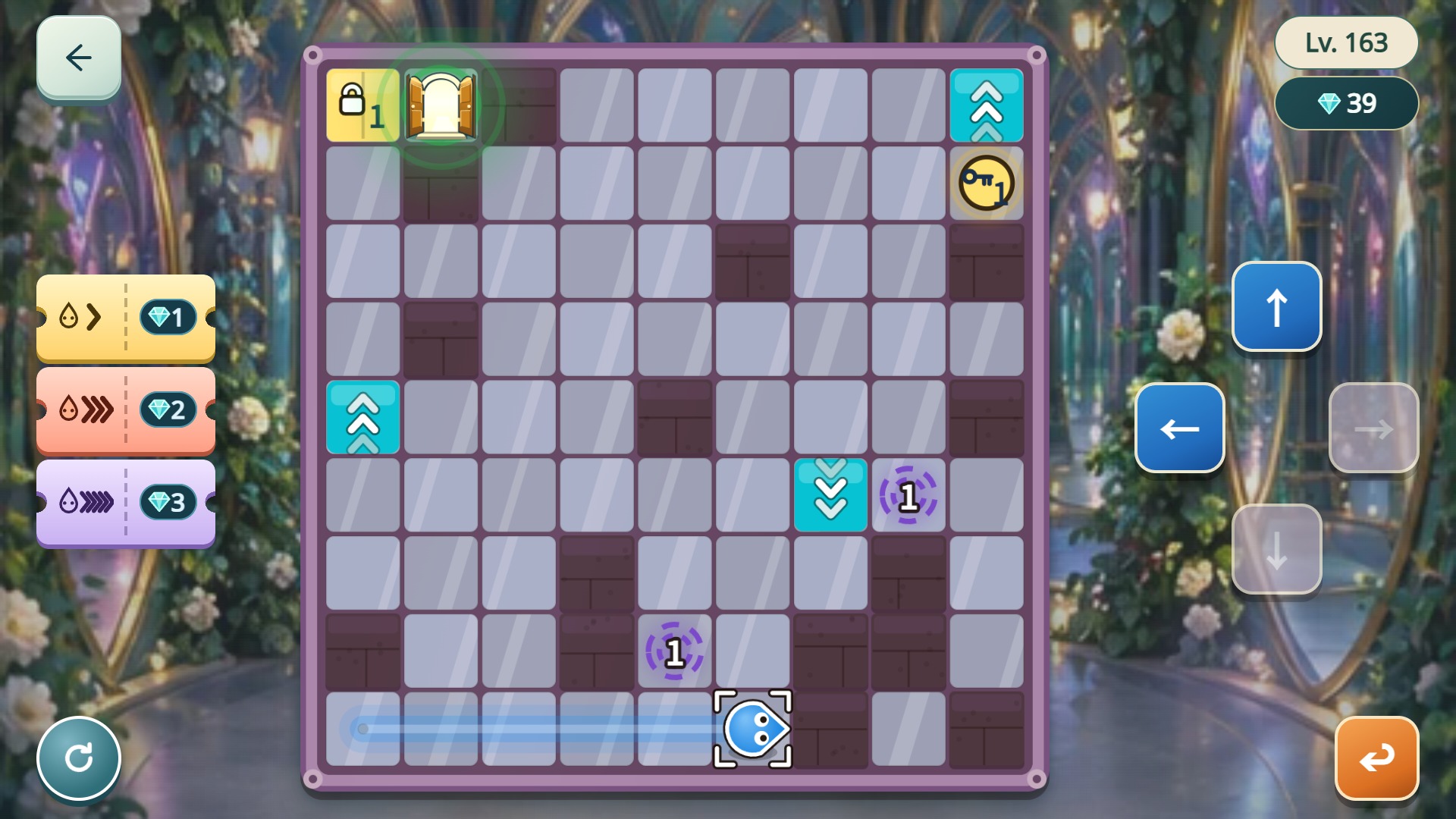
Choose a direction and slide until an obstacle stops you. Reach the open exit; later boards add devices that change the route.

Mirror Maze gameplay
Actual game screen. Board size and available helpers change with the level.

Actual gameplay · step by step

How to play

  1. Swipe a direction, press a direction button, or use an arrow key.
  2. Your piece keeps sliding. You cannot stop it in an arbitrary open cell. Use walls and the board edge to line up your next move.
  3. Reach the open exit. On a multi-maze board, clear the next maze too before the whole board is complete.
Board elements
No.ElementMeaning
1Blue pieceYour current position.
2Solid wall / board edgeStops the slide in the last free cell before the obstacle.
3Arrow tileEnter only while moving in the arrow’s direction. Other approaches are blocked.
4Numbered portalEntering transfers you to its matching portal. Sliding then continues in the same direction.
5Numbered keyCollected when you pass through its cell. Opens the lock with the same number and color.
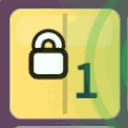
6Numbered lockBlocks the path until its key has been collected.
7Chain: next mazeAn intermediate exit: another maze remains on this board.
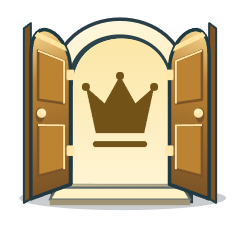
8Crown: final exitThe last exit on the board. Door markers distinguish the stages; they do not change sliding rules.
9Stage markersShow the mazes in this board. They are not a move allowance.
Rules and restrictions
  1. A wall, a locked door or an arrow entered from the wrong direction blocks movement. An open exit ends the slide as soon as you reach it.
  2. Undo and restarting the current maze are free. Restarting does not skip to the next maze.
  3. Multi-maze boards occur in the Lv.401–1000 board range. From Lv.1001, the Lv.401–1000 board pattern repeats while your displayed level keeps increasing.
Gem helpers
  1. One slide1 gem

    Make one move along a shortest route from your current position and collected keys.

    After the first guided board.

  2. Up to three slidesUp to 2 gems

    Make up to three moves. One costs 1; two or three cost 2.

    Game Lv.11+.

  3. Up to five slidesUp to 3 gems

    Make up to five moves. Four or five cost 3; shorter routes use the lower price.

    Game Lv.11+ and a board whose configured minimum route is at least six moves.

Thinking ahead
No.IdeaHow to use it
1Portals keep directionPlan where you will stop after leaving the other portal, not just where it appears.
2Keys change the boardA route that was blocked may become available after collecting the matching key.
Back to the game list

4. Fountain Plaza

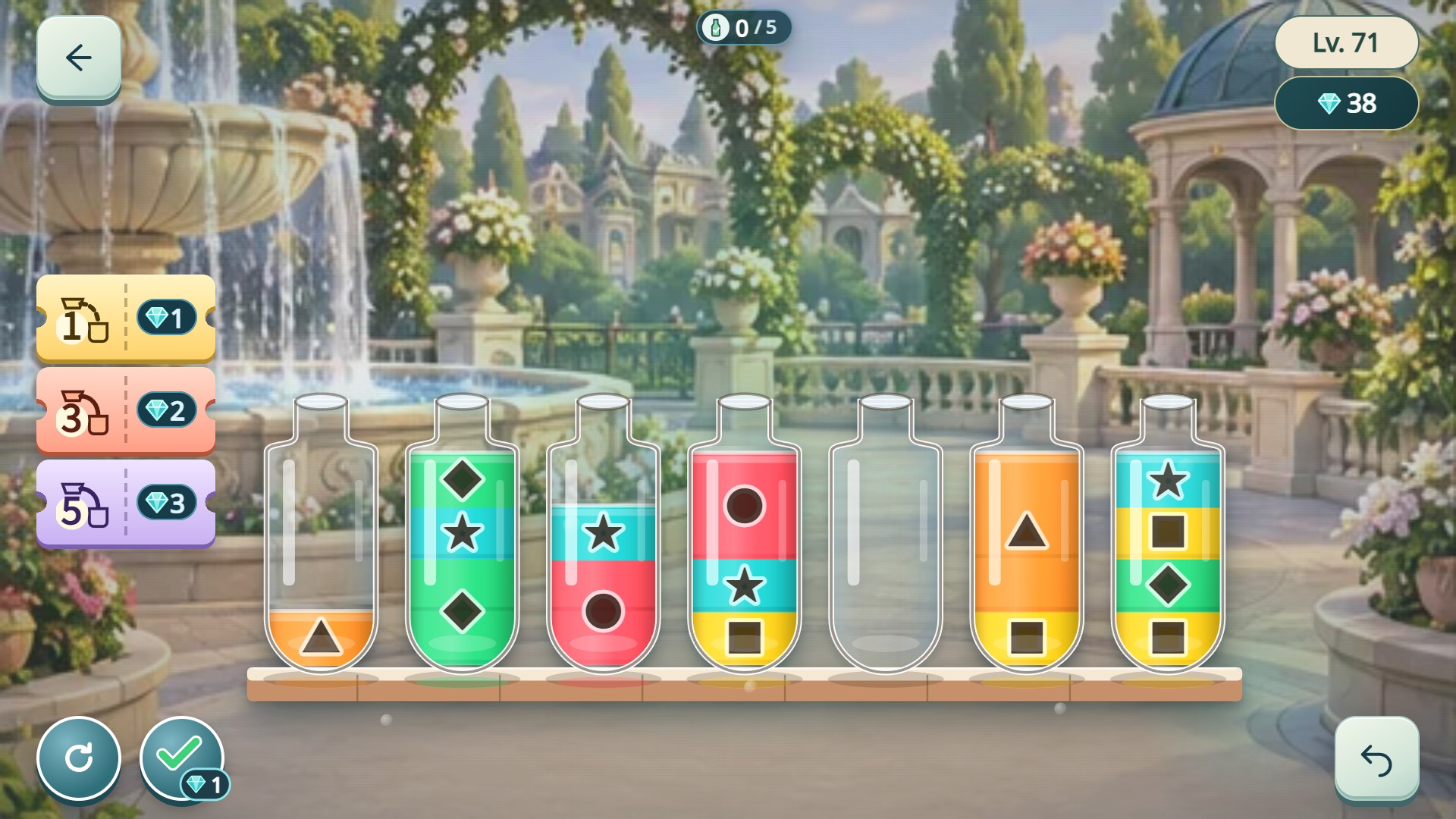
Pour colored water between bottles until each non-empty bottle is full of a single color.

Fountain Plaza gameplay
Actual game screen. Board size and available helpers change with the level.

Actual gameplay · step by step

How to play

  1. Tap a bottle to select it, then tap the destination bottle.
  2. Pour only into an empty bottle or onto the same top color, with room left in the destination.
  3. A pour transfers consecutive top layers of one color, up to the space available. Finish every color; unused bottles may stay empty.
Board elements
No.ElementMeaning
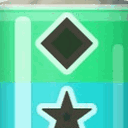
1Top color and symbolOnly the top consecutive layers of that color can be poured. Symbols identify colors too; they do not add a different pouring rule.
2Empty bottleA temporary space that can receive any color.
3Full bottleCannot receive another layer. A full, single-color completed bottle cannot be poured out.
4Question-mark layerA hidden color. Remove the layers above it to reveal it.
5Taller bottleSome later boards hold five layers rather than four.
6Bottle check (1 gem)Checks whether the current arrangement can still be solved. A definite result costs 1 gem. An undecided result is free, as is repeating the result on the unchanged board during the same visit.
7Bottle progress counterShows completed single-color bottles out of the required colors. It is not a move limit.
Rules and restrictions
  1. Do not pour onto a different top color or into a full bottle. You cannot pour from an empty bottle or a completed bottle.
  2. A partially filled bottle of one color is not finished: each non-empty bottle must reach its capacity.
  3. Undo and restart are free. Move counts are used internally; they are not a countdown that blocks further play.
  4. Locked bottles and a shuffle ticket are not part of the current game.
Gem helpers
  1. One pour1 gem

    Make one legal pour on a solution route.

    After the first guided board.

  2. Up to three poursUp to 2 gems

    Make up to three solution pours. One costs 1; two or three cost 2.

    Game Lv.11+.

  3. Up to five poursUp to 3 gems

    Make up to five solution pours. Four or five cost 3; fewer use the lower price.

    Game Lv.11+.

Thinking ahead
No.IdeaHow to use it
1Keep working spaceFilling every spare bottle with different colors can leave you no legal pour.
2Expose hidden colorsUncover one layer at a time. Undo can help you explore without spending gems.
Back to the game list

5. Photo Studio

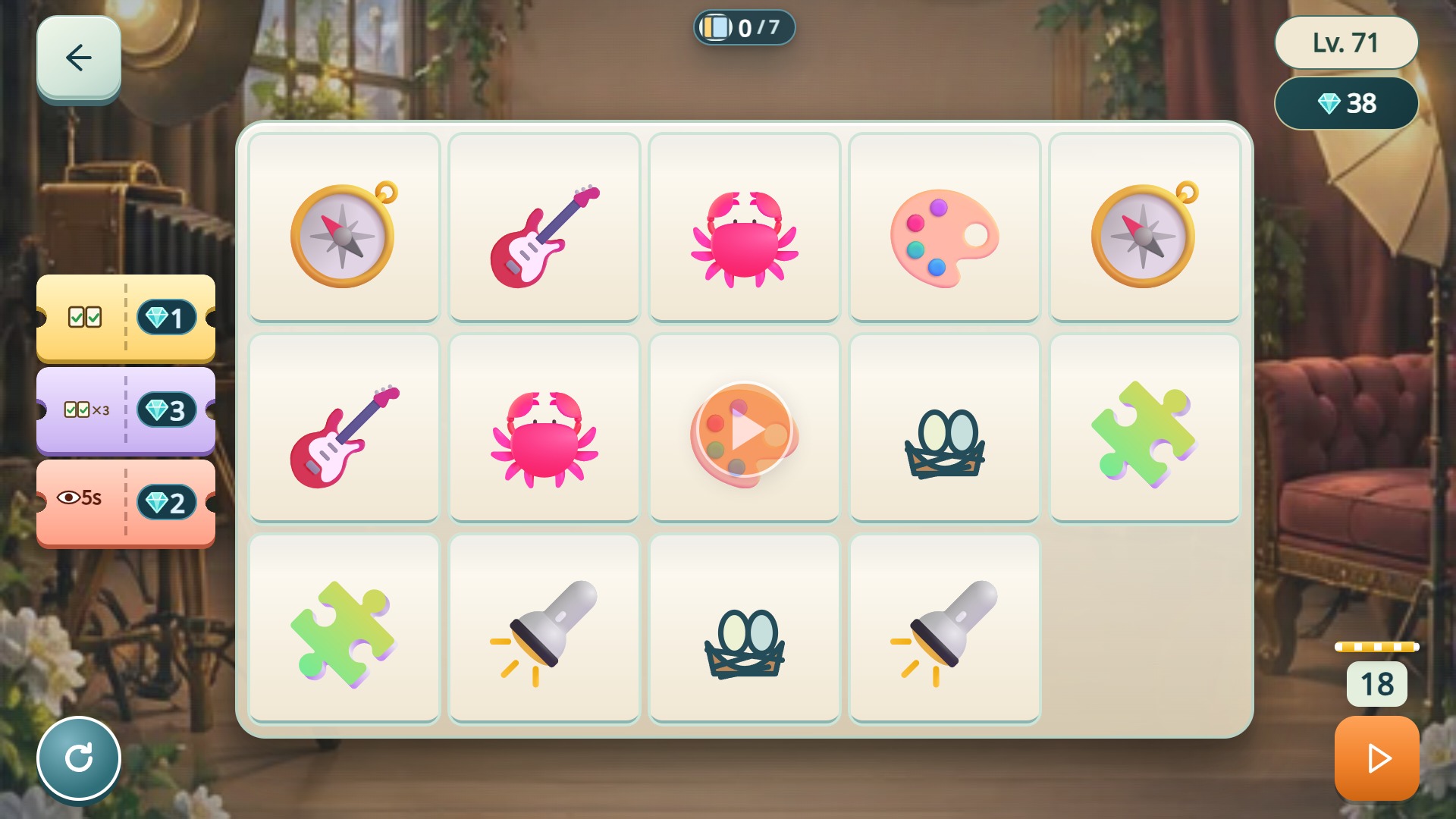
Remember the pictures while they are face up. When they turn over, find every matching group.

Photo Studio gameplay
Actual game screen. Board size and available helpers change with the level.

Actual gameplay · step by step

How to play

  1. Watch the opening preview and remember where the pictures are. It ends when its timer runs out; tap the Play triangle to start matching early. The preview becomes shorter on harder boards.
  2. Tap cards to reveal a matching group. Most boards use pairs; later boards may use groups of three or four.
  3. A correct group stays found. A mismatch turns back over. Find all groups to clear the board.
Board elements
No.ElementMeaning
1Face-down cardA picture to recall. Tap it during the matching phase.
2Revealed cardPart of the group you are currently trying. Match identical pictures, not related objects.
3Found groupAlready matched. It does not need to be selected again.
4Blank positionSome layouts leave unused space. It is not a card or a missing match.
5Three-picture groupMay appear from game Lv.141. Find three identical pictures on that board.
6Four-picture groupMay appear from game Lv.401. Find four identical pictures on that board.
7Group progress counterShows matched groups out of all groups on this board, not the number of taps left.
Rules and restrictions
  1. One board uses one group size throughout. On a triple or quadruple board, two matching pictures alone do not complete a group.
  2. Paid help works during the matching phase, not during the initial preview or a current automatic action.
  3. Restarting is free and starts the preview again. This game has no undo that restores the pre-restart memory state.
  4. There is no related-picture matching or follow-up memory quiz in the current game.
Gem helpers
  1. One matching group1 gem

    Find one matching group: a pair, triple or quadruple according to this board.

    After the first guided board.

  2. Up to three groupsUp to 3 gems

    Find up to three groups. Pay one gem per group actually found.

    Game Lv.11+.

  3. Five-second preview2 gems

    Show the remaining pictures again for five seconds, then cover them. This does not match groups for you.

    Game Lv.11+ and at least six groups on the board.

Thinking ahead
No.IdeaHow to use it
1Remember positionsAssociate a picture with its corner, row or neighbor rather than only its appearance.
2Read the group sizeWhen a third or fourth matching card is required, keep the earlier revealed locations in mind.
Back to the game list

6. Wire Connect

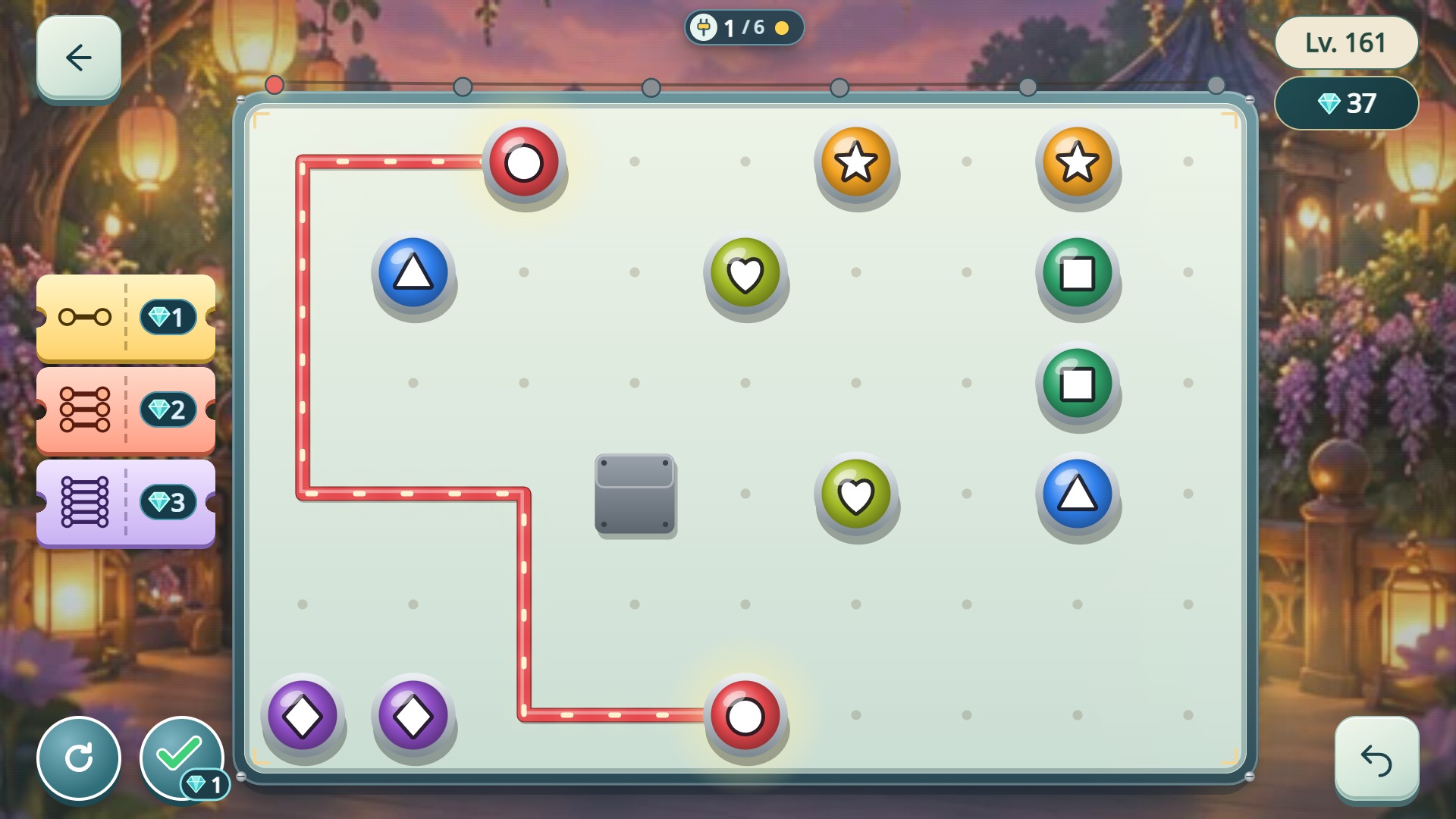
Draw a wire between every matching pair of plugs. Plan enough space for the remaining pairs; a straight connection is not always the right one.

Wire Connect gameplay
Actual game screen. Board size and available helpers change with the level.

Actual gameplay · step by step

How to play

  1. Press a plug and drag a continuous line to the plug with the same color and symbol.
  2. Route around other plugs, existing wires and gray walls. The line follows the nearest dots, one horizontal or vertical step at a time; it does not move diagonally.
  3. Connect every pair. You do not have to fill the board or pass through every dot.
Board elements
CircleCircle
TriangleTriangle
SquareSquare
StarStar
DiamondDiamond
HeartHeart
CrossCross
CrescentCrescent

Match the same color and shape. All eight shapes follow the same rule.

No.ElementMeaning
1Matching plugsConnect matching colors and symbols. The shapes are labels, not lives, gems, rewards or bridges.
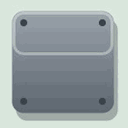
2Gray rectangular wallA solid obstacle. Wires must pass around it, without touching its edge.
3Faint board dotsThe wire follows these points. Trace horizontal and vertical steps; curves in the drawing are rounded corners, not diagonal shortcuts.
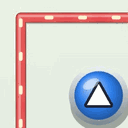
4Drawn wireYour chosen connection. Other wires cannot cross it or run too close to it.
5Lit plug / bulbA completed pair lights up. These are connection progress, not an energy supply.
6Wire check (1 gem)Checks whether the remaining pairs can be completed while keeping your wires. A definite result costs 1 gem; an undecided result is free. Repeating the check on the unchanged board during the same visit costs no extra gems.
7Golden dots / hollow ringsShow the mistake allowance for a three-star result celebration: filled dots remain, rings have been used. Losing all dots does not end the board, remove a life or stop you playing.
Rules and restrictions
  1. Wires cannot cross or touch another color’s wire, run through another pair’s plug, touch a wall, or leave the board. Leave a visible gap.
  2. A crossing is blocked; there are no bridges, teleporters, switches or keys in this game. A cross-shaped plug is just a pair label.
  3. If you lift your finger early, the unfinished wire stays on the board. Grab its end to continue. Dragging from its body shortens it to that point; moving back along your active wire retracts it.
  4. To remove a completed wire, hold one of its plugs for about 0.65 seconds. A short tap does not erase it. You can also undo or restart for free.
  5. Check may be unable to decide within its search limit. An undecided check does not deduct gems or label the board as impossible. A definite yes or no costs 1 gem.
Gem helpers
  1. One matching pair1 gem

    Complete one remaining pair.

    After the first guided board.

  2. Up to three pairsUp to 2 gems

    Complete up to three pairs. One costs 1; two or three cost 2.

    Game Lv.11+ and at least six pairs on this board.

  3. Up to five pairsUp to 3 gems

    Complete up to five pairs. Four or five cost 3; fewer use the lower price.

    Game Lv.11+ and at least six pairs on this board.

Thinking ahead
No.IdeaHow to use it
1Leave corridorsA short wire can trap another pair. Try routing around the edge rather than sealing the middle.
2Check before helpIf your existing wires block completion, a help press points to Check without taking gems for that help press. Check itself costs 1 gem for a definite answer. Undo or remove a blocking wire and try again.
Back to the game list
03

Gold & Gems

Gold comes from clearing boards and buys decorations. Gems pay for help tickets and rides. A new park starts with 500 gold and 50 gems.

Clearing a board

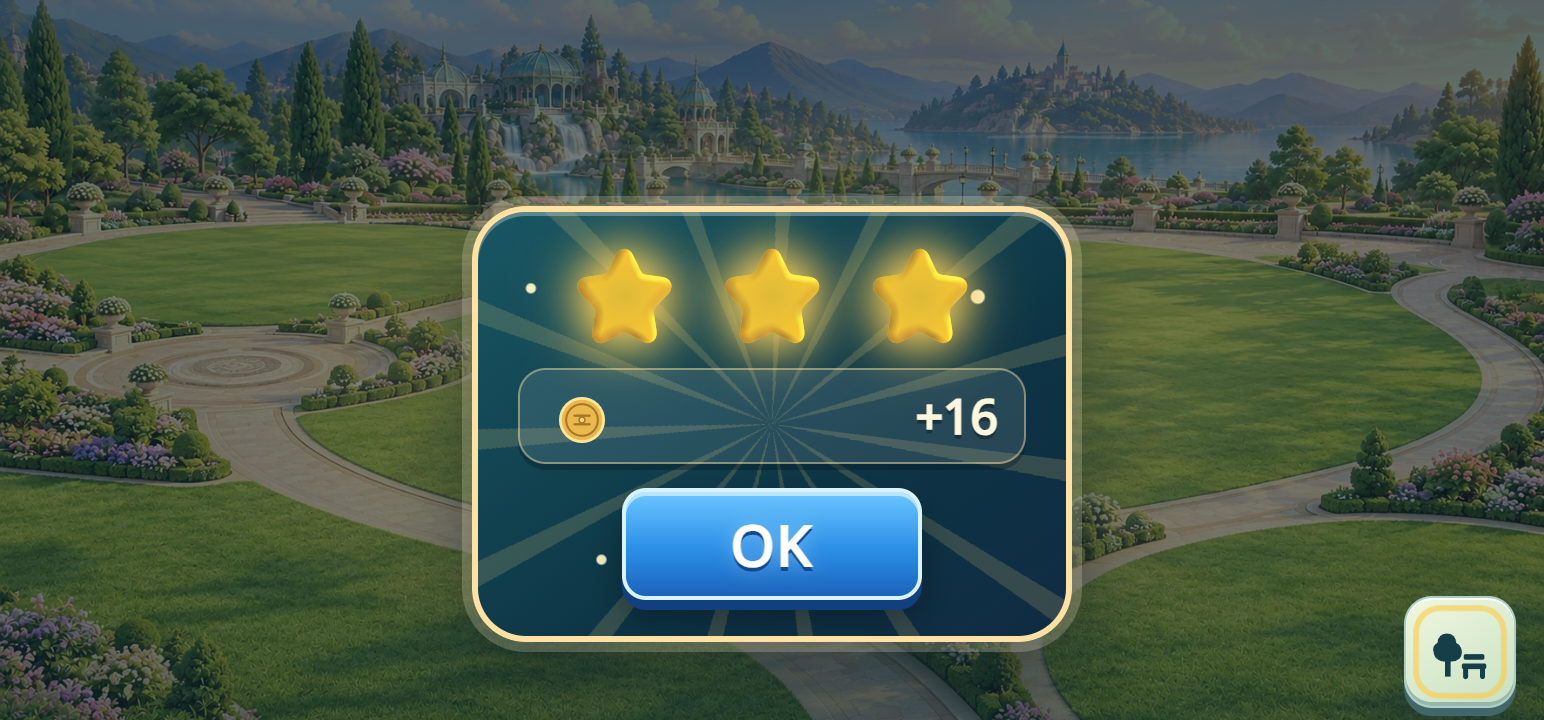
Every cleared board pays gold. Result stars are a visual celebration, not a separate balance to collect. Every 5th level of a game is a hard board that pays extra gold, and every 10th level is a very hard board that also pays 1 gem.

Bonus. Clear one board in each of the six games on the same day for at least 100 extra gold and 5 gems. The gold bonus matches the sum of those first six board payouts when that sum is higher. Overall Lv.100, 200, 300 and each later multiple of 100 pays 500 gold and 10 gems.

Gem help tickets

Tickets on the left spend gems for game-specific help. Some make moves, while others fill sudoku notes or replay a picture preview. See each game’s helper table above for its cost, availability and limits.

Free. Undo and restart cost no gems. Check is a separate 1-gem action when available. Photo Studio restarts its preview and has no move-undo button.

Watch an ad for gems

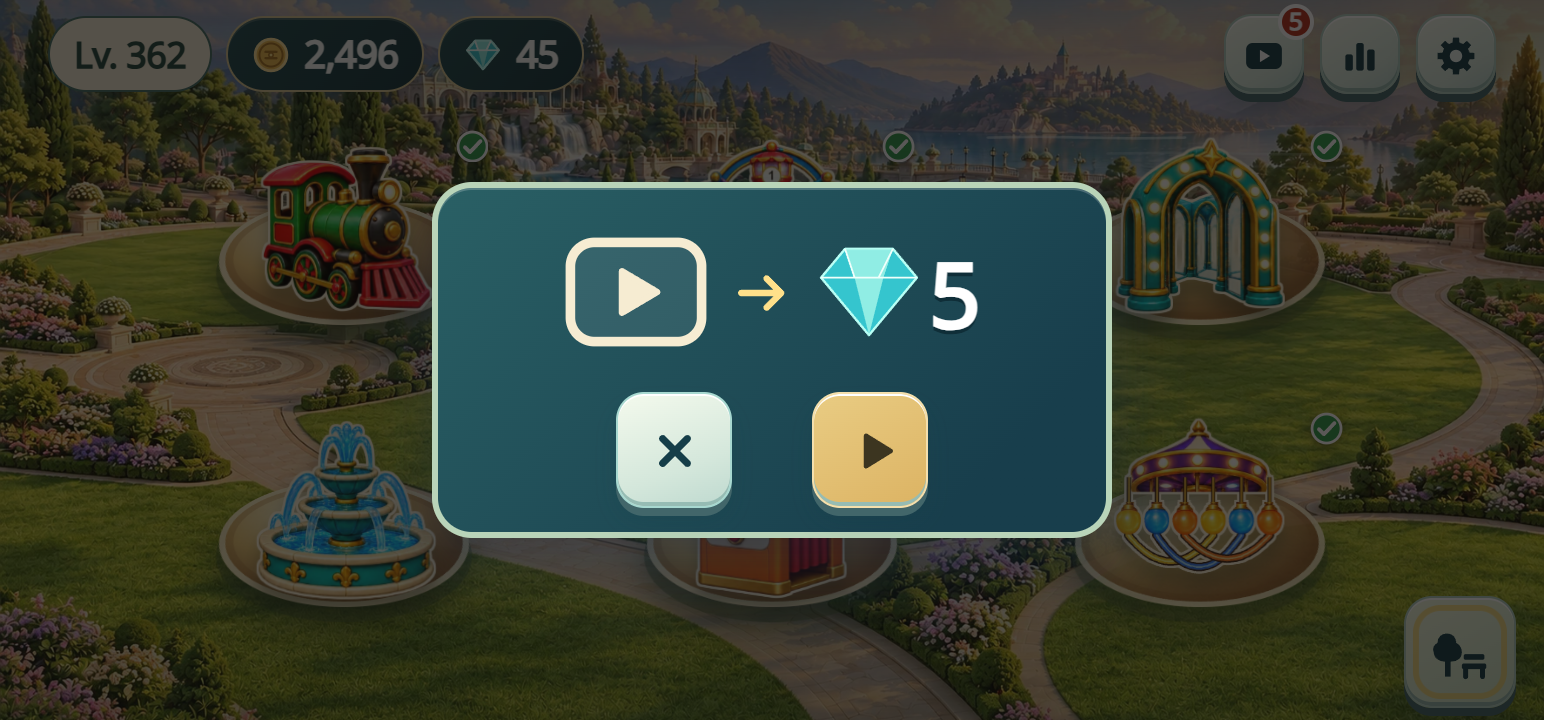
Tap the ad button on the home screen and watch a rewarded ad to the end for 5 gems. You can receive a reward from up to 5 ads a day. Ads that do not give a reward do not count toward this limit.

Your choice. Ads never play unless you choose to watch them.

Spending

Each shop card shows whether an item costs gold or gems. Gems also pay for help tickets.

04

Decorate the Park

Tap the decorate button at the bottom right of the home screen.

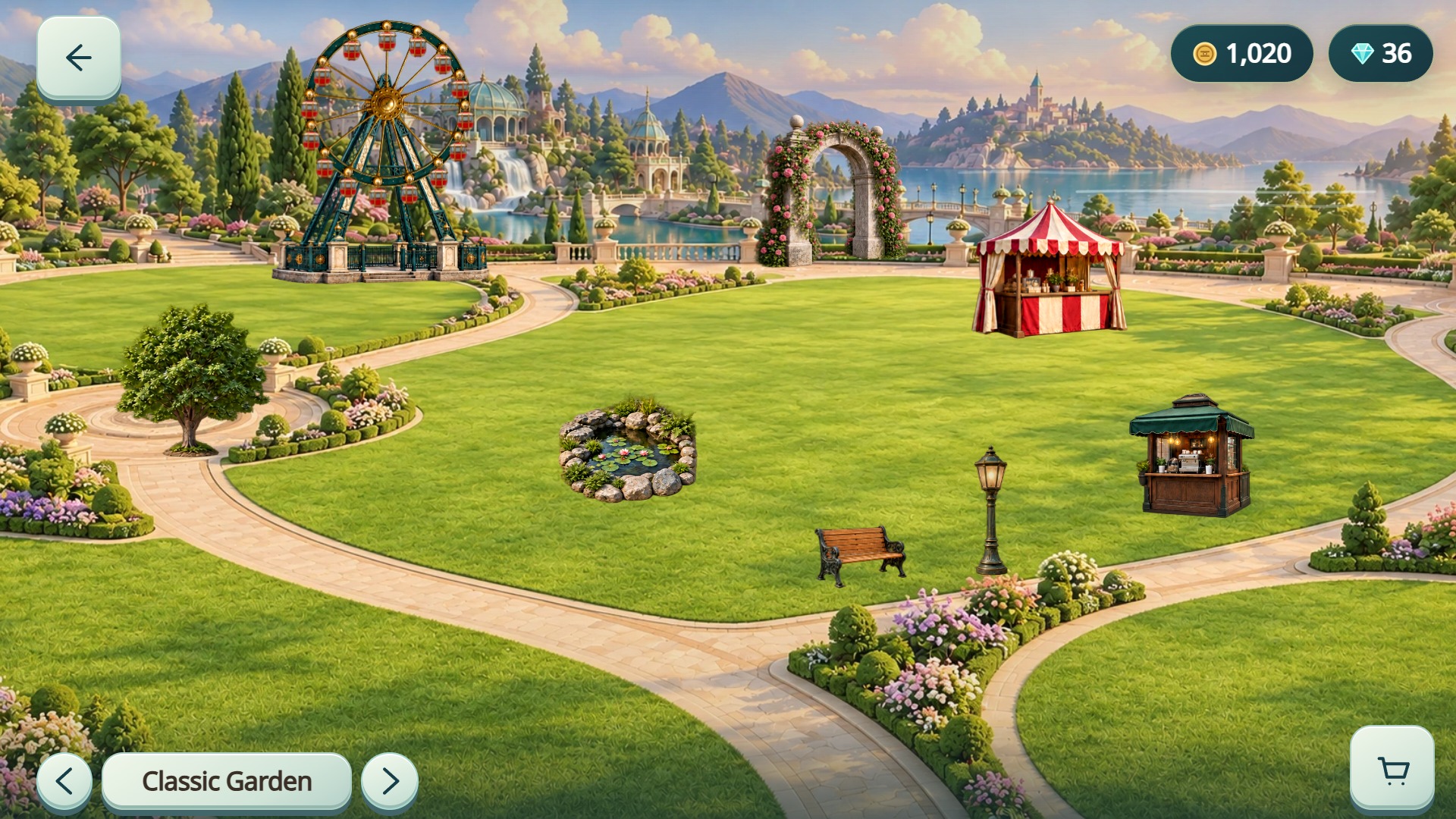
Your park

Place items, move them, make them bigger or smaller, and flip them. Use the arrows at the bottom left to switch between six parks. All six parks are available; progress unlocks background effects.

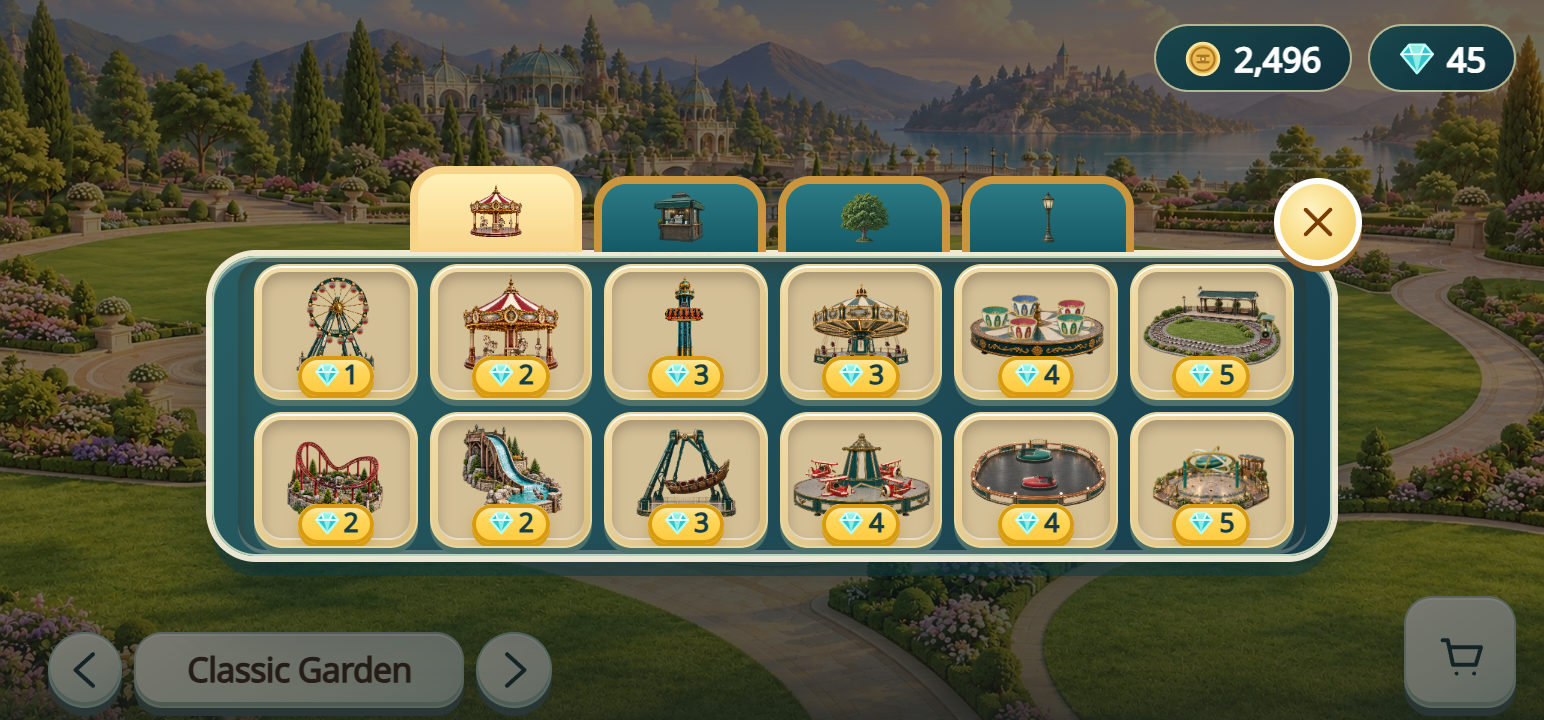
Each park holds up to 10 rides from the first shop tab and 40 items from the other three tabs combined: 50 placed items in total. The limit follows the item category, not whether it costs gold or gems.

Shop

Check the gold or gem price on an item’s card. Locked items show the required overall level. Reach that level before buying them.

Select an item to drag, resize with its controls or pinch, or flip it horizontally. Width and height always scale together. A newly added item appears in front within the decoration layer. You can move owned items between parks for free if the destination has room.
Storage and removal
  1. Store an item to take it off the park without losing ownership. Each park has room for 10 stored items.
  2. Select a stored item and use the place icon to return it to the park. Its item category must have space available.
  3. The bin permanently removes the selected stored item after confirmation. It does not return its purchase price.
  4. If a park or its storage is full, remove or store an item in the relevant category. You can still open storage and delete a stored item.

Your park as your phone wallpaper

Turn the park you have decorated into your phone wallpaper. Choose a still image or a live wallpaper, with a 3D option for either.

  • Image
  • Live
  • 3D Image
  • 3D Live
  1. Open Decorate and tap the wallpaper button.
  2. Choose a wallpaper type and select the part of your park to use.
  3. Follow the preview and confirmation screens to apply it.
05

Settings

Tap the gear at the top right of the home screen.

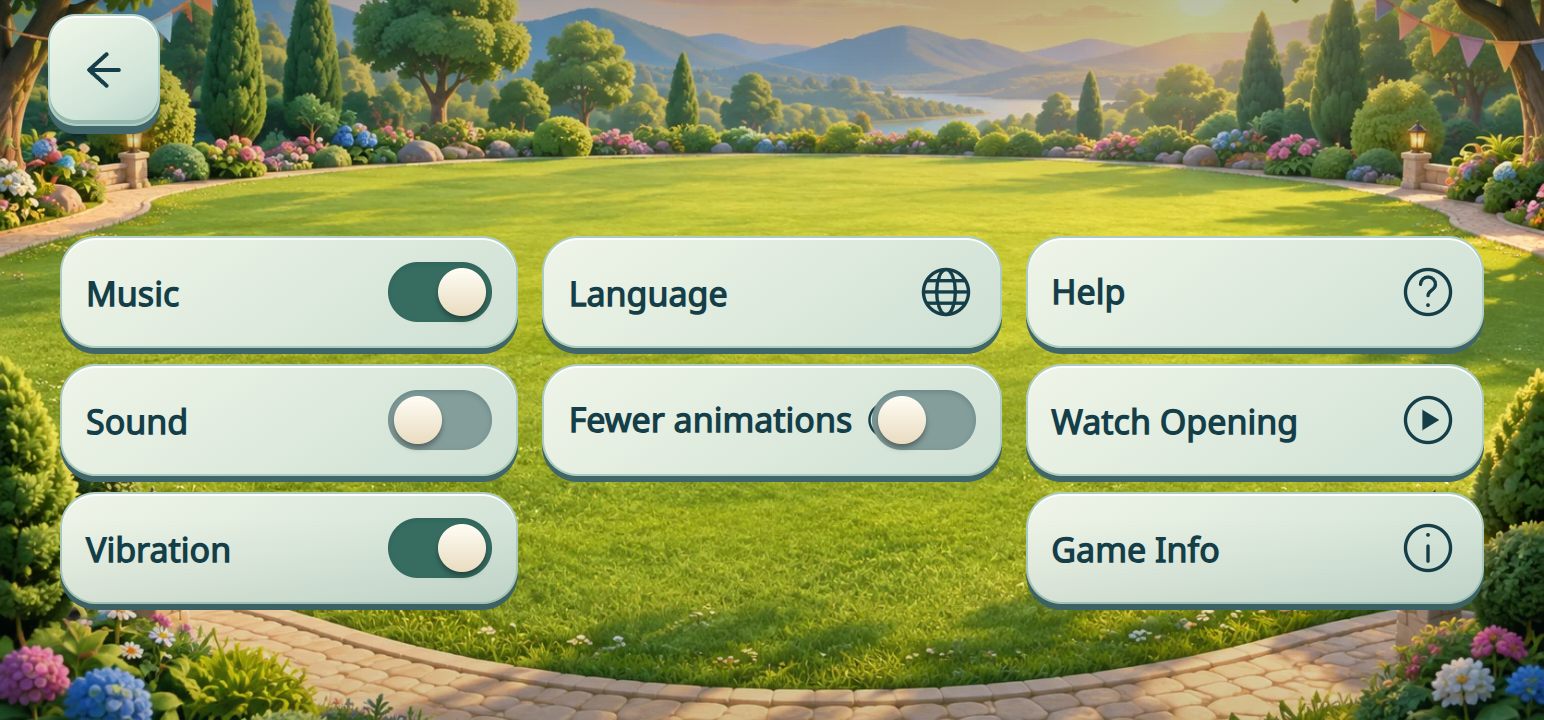
Settings

Music, sound, vibration, fewer animations, language, this help page, the opening movie and game info.

Music and sound are separate switches; your phone’s media volume still controls how loud they are. Vibration depends on device support. Lite mode reduces decorative motion and rendering load while keeping puzzle rules, memory-preview time and essential move feedback intact. Language selection changes the app language; this English help page can use your browser’s translation.
Ad privacy. Where required, an Ad privacy item appears here so you can change your ad consent.

Your progress

No account is needed. Your progress is saved on your device and included in Android's automatic backup when enabled on your device. This is not an account-based cloud sync between phones.

Bring the park back to life.

GET IT ONGoogle PlayComing soonApp Store
6 puzzle gamesFree to play10 languagesNo account